

REST API
Everything the interface can do, the REST API can do: the interface itself talks to the server only through it. The API lives under /api/v1 of your instance, speaks JSON with keys in snake_case, and names everything by ULID (items also by their key, WEB-47).
Every instance describes its API itself:
/api/docsshows the reference in the browser, with every endpoint, parameter, body and answer, and lets you try requests./api/openapi.jsonis the same as an OpenAPI 3.1 document, for code generators and clients.
Both are public: they hold no data of the instance, only the shape of the API, so an integration can be built before it has a token. Generating the document is costly, so both allow 30 requests a minute per address. The reference page loads its scripts from the instance itself, not from a CDN. This page explains what the reference cannot: how to sign in, errors, lists, limits and how the API changes. AI agents reach the same operations through the MCP server.
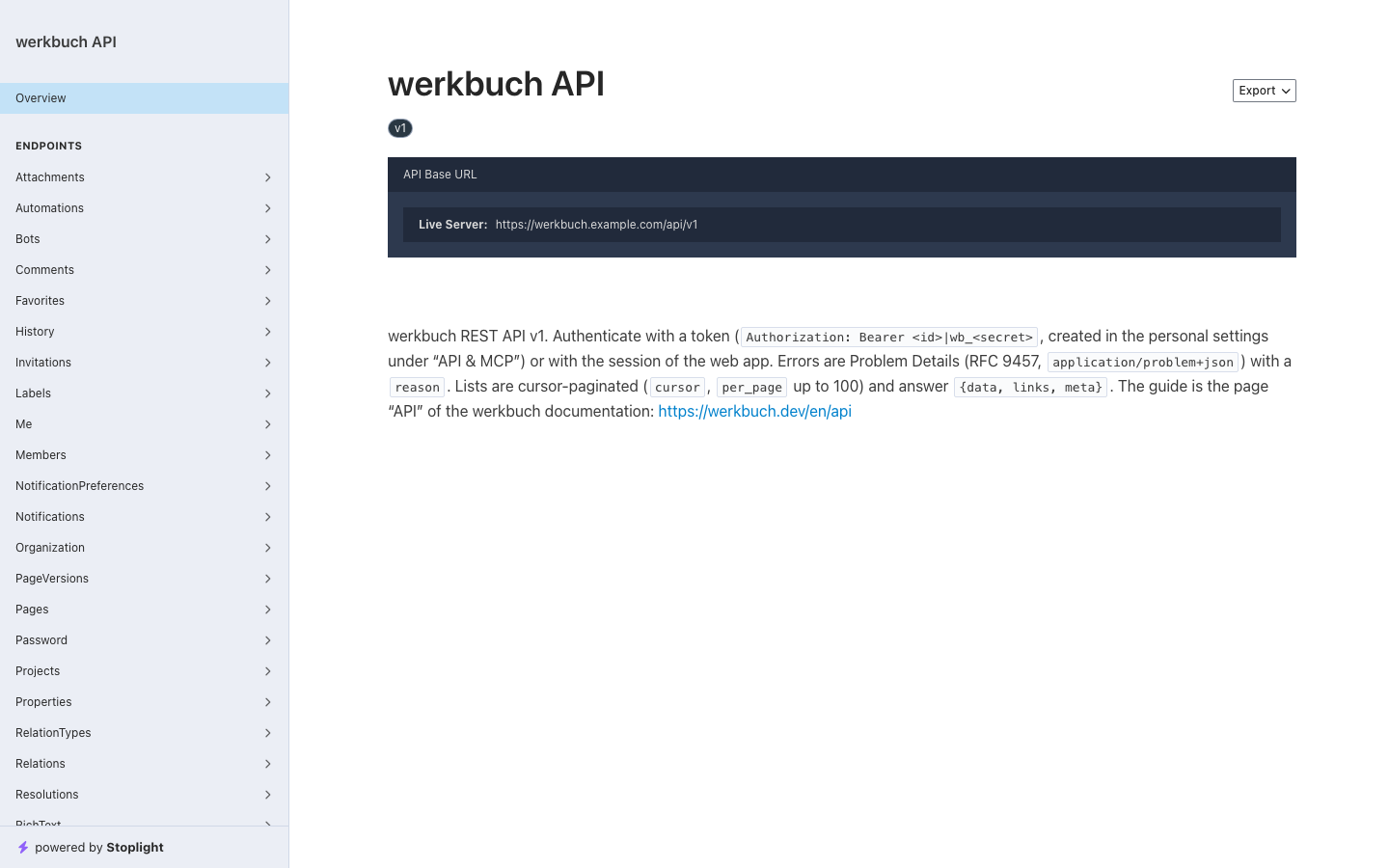
Authentication
Tokens
Scripts and agents use a token: Authorization: Bearer <token>. A token has the form <id>|wb_<secret>. Create one in the interface under Personal settings → API & MCP → New token; werkbuch shows it once, right after creating it. A token of a bot is created by an org admin in the settings of the bot. A token acts with the rights of its account, never with more, and ends with its expiry date, when it is revoked or when its account is deactivated.
A request without a valid token or session is a 401. Deactivating an account deletes its tokens.
Abilities
A token also carries abilities that narrow it further (roles and permissions):
| Ability | Allows |
|---|---|
read | GET and HEAD, and the four reads that take their question in a body: POST /work-items/query, /work-items/groups, /work-items/counts and /templates/preview |
write | Every other request |
mcp | The MCP server at /mcp; its tools need read to read and write to change, as well |
A token without the ability a request needs gets 403. The reference names the ability of every operation (x-werkbuch-ability).
Only the session
The interface signs in with its session: a cookie and the header X-XSRF-TOKEN (from the cookie XSRF-TOKEN) on every request that is not GET or HEAD; a missing or stale one is a 419. Some things only work with that session, never with a token, whatever its abilities:
- creating tokens (
POST /tokens), - your own password and the second factor (
/me/password,/me/two-factor…), - changing the e-mail address of a person (
PATCH /users/{user}withemail).
A token gets 403 with the reason session_required. So a stolen token can neither take over its account nor create a successor. Listing and revoking tokens works with a token.
Errors
Every error is a Problem Details document (RFC 9457) with the media type application/problem+json:
{
  "type": "urn:werkbuch:problem:validation_failed",
  "title": "Validation failed",
  "status": 422,
  "detail": "The input is not valid.",
  "reason": "validation_failed",
  "errors": {
    "title": ["The title must not be empty."],
    "values.customer": ["\"Customer\" is required."]
  }
}reasonis the code to branch on (transition_not_allowed,description_conflict,project_archived,session_required…). The reference lists every reason the server answers today.errorsnames the fields of a422: a path into the body or the query (values.customer,filter.conditions.0.op), each with its sentences. All problems of a request come at once.detailis a sentence for people. A404has none: what you may not see answers exactly like what does not exist, never with a403.- Some problems carry more keys:
current(the stored state at a conflict, see below),states(the states that need a target when a workflow changes),projects(who still uses a catalog entry).
Sentences come in the language of the account (its profile, otherwise the default language of the organization); a 401 comes in the language of the organization. Accept-Language is not read.
| Status | Means |
|---|---|
401 | No valid token or session |
403 | Seen, but not allowed (role, ability, session_required) |
404 | Unknown, or hidden from you |
409 | A rule of the state: a transition, a conflict, archived, in use |
413 | Body too large |
419 | Session without a valid X-XSRF-TOKEN |
422 | Input not valid, with errors |
429 | Too many requests, see Limits |
503 | A service is not available (search_unavailable, mail_failed) |
Lists
Pages
Lists come in pages over a cursor:
{
  "data": [ … ],
  "links": { "first": null, "last": null, "prev": null, "next": "https://werkbuch.example.com/api/v1/projects?sort=-name&per_page=1&cursor=eyJwcm…" },
  "meta": { "path": "https://werkbuch.example.com/api/v1/projects", "per_page": 1, "next_cursor": "eyJwcm…", "prev_cursor": null, "total": 3 }
}per_pagetakes 1 to 100, 100 by default;meta.totalcounts every match.- Follow
links.next: it keeps the query (filters, sort,per_page). It isnullon the last page. - A cursor belongs to its list and sort: one from another sort (
sort=namefollowed withsort=-name) or one that cannot be read is a422atcursor. Anotherper_pageis fine. - Lists read with
POST(/work-items/query) have no address to follow: therelinks.nextisnull, and the same request withcursorset tometa.next_cursorleads on.
Filters, sorts and includes
Plain lists take three parameters:
filter[<name>]=<value>narrows the list. Several values separated by commas match any of them (filter[type]=person,bot); a filter on text matches what contains it (filter[name]=web); a yes-or-no filter takes1or0; an ID filter takes a ULID in any case. Several filters all hold.sort=<name>orders it,-in front for descending, several separated by commas (sort=-type,name). Every order ends on the ULID, so equal values keep a fixed order.include=<name>embeds related data.
An unknown name is a 422 at filter, sort or include that lists the names the list knows; a value a filter does not take is a 422 at filter.<name>. A filter only narrows what you see anyway: an ID you may not see matches nothing and answers like an unknown one, never with a 404. Flags that apply to the whole list keep their own parameter: include_archived=1 in the projects, lean=1 in the templates.
Without sort, every list keeps its own order (the default in the table). Fixed lists take no filter and no sort; the inbox and the webhook log take filters, but always come newest first.
| List | Filters | Sorts | Default order | Include |
|---|---|---|---|---|
GET /users | type (person, bot), disabled | type, name, handle, created_at | -type (people first) | – |
GET /bots | disabled, owner_id | name, created_at | creation | – |
GET /invitations | org_role (admin, member) | expires_at, created_at | creation | – |
GET /tokens | user_id (the owner, a ULID; without it your own tokens) | name, created_at | creation | – |
GET /projects | visibility (public, private), lead_id, workflow_id, member (whether you are a member) | name, identifier, created_at | name | members |
GET /projects/{project}/members | type (person, bot) | name | joining | – |
GET /workflows | name | name, created_at | catalog order | – |
GET /work-item-types | name, is_epic, archived | name, created_at | catalog order | – |
GET /properties | label, field_type (text, number, dropdown, boolean, date, member, rich_text, url) | label, key, created_at | catalog order | – |
GET /labels | name | name, created_at | catalog order | – |
GET /relation-types | name, built_in | name, created_at | catalog order | – |
GET /resolutions | default_for (completed, canceled), archived | position, label | position | – |
GET /views | created_by, name | name, created_at | name | – |
GET /templates | project_id, scheduled | name, created_at | name | – |
GET /projects/{project}/templates | scheduled | name, created_at | name | – |
GET /webhooks | project_id, active, bot_id | name, created_at | name | – |
GET /webhooks/{webhook}/deliveries | event, kind (scheduled, manual, ping), succeeded | – | -attempted_at (newest first) | – |
GET /notifications | unread, event (the kinds; filter[event]=mentioned for mentions) | – | -created_at (newest first) | – |
GET /favorites | – | – | your order | – |
GET /work-items/{item}/comments | – | – | oldest first | – |
GET /work-items/{item}/history | – | – | oldest first | – |
GET /work-items/{item}/pages | – | – | title | – |
GET /pages/{page}/versions | – | – | newest first | – |
GET /templates/{template}/runs | – | – | newest first | – |
created_at sorts by the ULID, which grows with creation; "catalog order" is the order in which the entries were created, as the interface shows them. include=members adds members to every project of the page. The reference lists the values of every filter.
Work items
Keys
/work-items/{item} takes the ULID or the key in any case (WEB-47, web-47). After a project changed its identifier, its former keys still work: a GET with a former key answers 301 with the current address in Location (and Cache-Control: no-store), every other request acts on the item without a redirect. Only items you see are redirected; for any other the former key is a 404 like an unknown one.
Lists of items
Items have their own filter engine, the one of the views. The full reference of fields and operators is on the page Views.
GET /work-items?view=<id>gives the items of a saved view;filter[…]narrows them further in a short form (filter[project]=WEB&filter[assignee]=me&filter[state_category]=unstarted,started),sort=-due_datechanges the order.POST /work-items/querytakes a full filter, a sort and the cursor in the body, a read likeGET.POST /work-items/groupsand/work-items/countsgive the numbers of a grouping or of named filters.lean=1("lean": true) leaves outdescription,description_jsonandvalues_markdown.POST /projects/{project}/redistribute-ranksgives the items of a project new short ranks in their order when no rank fits between two neighbours any more; it answers{"redistributed": n}(Work items).
GET /work-items/{item}?include=children,relations,type,workflow,attachments embeds what the item page needs in one request. children holds the first 100 children in manual order, archived ones included; children_progress.total says how many there are, and GET /work-items?filter[parent]=<key>&include_archived=1 pages through all of them in the same order.
Rich text
Descriptions, rich-text values, comments, wiki pages and templates come in two forms: description in Markdown and description_json as the Tiptap document (body/body_json for comments, content/content_json for pages). Write in one of them; both at once is a 422. Markdown is written for the reader: mentions show the current handle, references the current key or title, and references to what you may not see stay [hidden](item:<ulid>) or [hidden](page:<ulid>). What a text may contain and how mentions, references, images and files are written is on the page Rich text.
Conflicts
Two edits of the same text do not silently overwrite each other when you say which version you edited:
- Items: send
base_description_version(thedescription_versionyou read) with a new description. If someone has changed it in the meantime, the answer is409with the reasondescription_conflictand the stored item incurrent; nothing is saved. To keep your text anyway, send it again with thedescription_versionofcurrent. Withoutbase_description_version, the last one wins. - Wiki pages: send
base_version(theversionyou read). A newer page is a409with the reasonpage_conflictand the page incurrent. Send yours again with theversionofcurrent, and with"keep_current": truewerkbuch keeps the other text as a version of the page. Withoutbase_version, the last one wins; the text before stays as a version when someone else wrote it or it is older than ten minutes.
Every other change takes effect on the state it finds, under the rules of that state: a transition that is no longer allowed is a 409 with transition_not_allowed. There are no ETags and no If-Match.
Limits
- Requests: 600 a minute per valid token (
API_RATE_LIMIT); without a token, the session of the interface has 3000 a minute per account (API_SESSION_RATE_LIMIT), and everything else 600 per address. Requests are counted before signing in, so a flood of401never uses up the quota of a valid token, and two tokens of one account count separately. Behind a reverse proxy, the count per address needs the proxy inTRUSTED_PROXIES(Operations). - Every answer carries
X-RateLimit-LimitandX-RateLimit-Remaining, except a413for a body that is too large (JSON over 8 MiB, or a body over PHP'spost_max_size): it is refused before the request is counted. Over the limit the answer is429with the reasontoo_many_requestsandRetry-Afterin seconds. - Some requests have a smaller limit of their own, per account: uploads 60 a minute, a test ping and Send again of a webhook together 6, the test mail 6, changing your password 6. Their
429looks the same;X-RateLimit-*always name the limit of the API, onlyRetry-Aftertells how long to wait. - JSON bodies can be at most 8 MiB (8 388 608 bytes), a
413with the reasonpayload_too_large(aContent-Lengthover it is refused at once). That leaves room for an image as a data URL and for an item with several rich-text values at their size limit. - Uploads (
POST /attachments, multipart) have their own limit,ATTACHMENTS_MAX_MB(25 MB by default), also a413. Raising it in the Docker image: Operations.
Stability
/api/v1 changes only by adding: new fields, endpoints, filters, sorts and reason codes. A client ignores fields it does not know, and treats a reason it does not know by its status (a 409 it cannot place is still a conflict). The reason in the document is a list of the known codes and any other text, so a client generated from today's document does not break on a new one. A change that would break a client becomes /api/v2. There are no idempotency keys: a bulk change (POST /work-items/bulk) reports per item what happened, so it can be retried for the items that failed.
Examples
The examples use https://werkbuch.example.com and a token in $TOKEN. -g keeps curl from reading [ and ] in filter[…].
Who am I
GET /me answers the account of the token with the rights of its role in the organization, also with a read-only token and for a bot:
curl -H "Authorization: Bearer $TOKEN" https://werkbuch.example.com/api/v1/me{
"data": {
"id": "01m6akx65qgwfz2m2tz3bpt7st",
"type": "person",
"name": "Mara Lindqvist",
"handle": "mara",
"email": "mara@feldwerk.example.com",
"org_role": "admin",
"locale": "de",
"timezone": "Europe/Berlin",
"permissions": ["org.manage", "org.manage_catalog", "project.see_all", "project.join", "project.create", "view.create", "view.manage_any", "token.own"]
}
}(Shortened.) locale and timezone are the ones that apply, the organization's when the account has none of its own.
Your open items
curl -g -H "Authorization: Bearer $TOKEN" \
  "https://werkbuch.example.com/api/v1/work-items?filter[assignee]=me&filter[state_category]=unstarted,started&sort=due_date&lean=1"
Create an item
curl -X POST https://werkbuch.example.com/api/v1/work-items \
  -H "Authorization: Bearer $TOKEN" \
  -H "Content-Type: application/json" \
  -d '{"project_id": "WEB", "title": "Contact form sends twice", "priority": "high",
       "description": "Seen on staging, see WEB-42.\n\n- send the form\n- two mails arrive"}'
The answer is 201 with the item in data, its key in data.key. project_id takes the ULID or the identifier; without type_id the item gets the default type of the project, without state_id the initial state of its workflow.
Page through a list
curl -H "Authorization: Bearer $TOKEN" "https://werkbuch.example.com/api/v1/projects?sort=-name&per_page=1"Then call links.next of the answer until it is null.
Comment
curl -X POST https://werkbuch.example.com/api/v1/work-items/WEB-47/comments \
  -H "Authorization: Bearer $TOKEN" \
  -H "Content-Type: application/json" \
  -d '{"body": "Fixed on staging, @mara can you check?"}'
Upload a file
curl -X POST https://werkbuch.example.com/api/v1/attachments \
  -H "Authorization: Bearer $TOKEN" \
  -F project_id=WEB -F kind=file -F work_item_id=WEB-47 \
  -F file=@offer.pdf
kind=file puts the file into the file list of the item. For a picture in a text, upload with kind=inline and name it in the text as  (rich text).
Check a limit
curl -i -H "Authorization: Bearer $TOKEN" https://werkbuch.example.com/api/v1/organizationHTTP/2 200
x-ratelimit-limit: 600
x-ratelimit-remaining: 599